
AI Assistant
The Omnismith AI Assistant enables natural language interaction with your workspace. Powered by Large Language Models (Google Gemini), the assistant can scaffold new schemas, execute data queries, generate sample entities, and analyze time-series metrics through conversational prompts.
1. Core Capabilities
Section titled “1. Core Capabilities”| Prompt Goal | Example Conversational Request | Assistant Action |
|---|---|---|
| Schema Scaffolding | ”Create a data model for tracking software licenses, renewal dates, and annual cost.” | Automatically creates Attributes and attaches them to a new Software License Template. |
| Data Ingestion | ”Add a new server entity named ‘prod-api-02’ with CPU usage at 45%.” | Creates the entity record with exact attribute values under the Server Node template. |
| Analytics & Search | ”Which servers had average CPU load above 80% today?” | Queries metric time-series analytics and returns a summarized markdown table. |
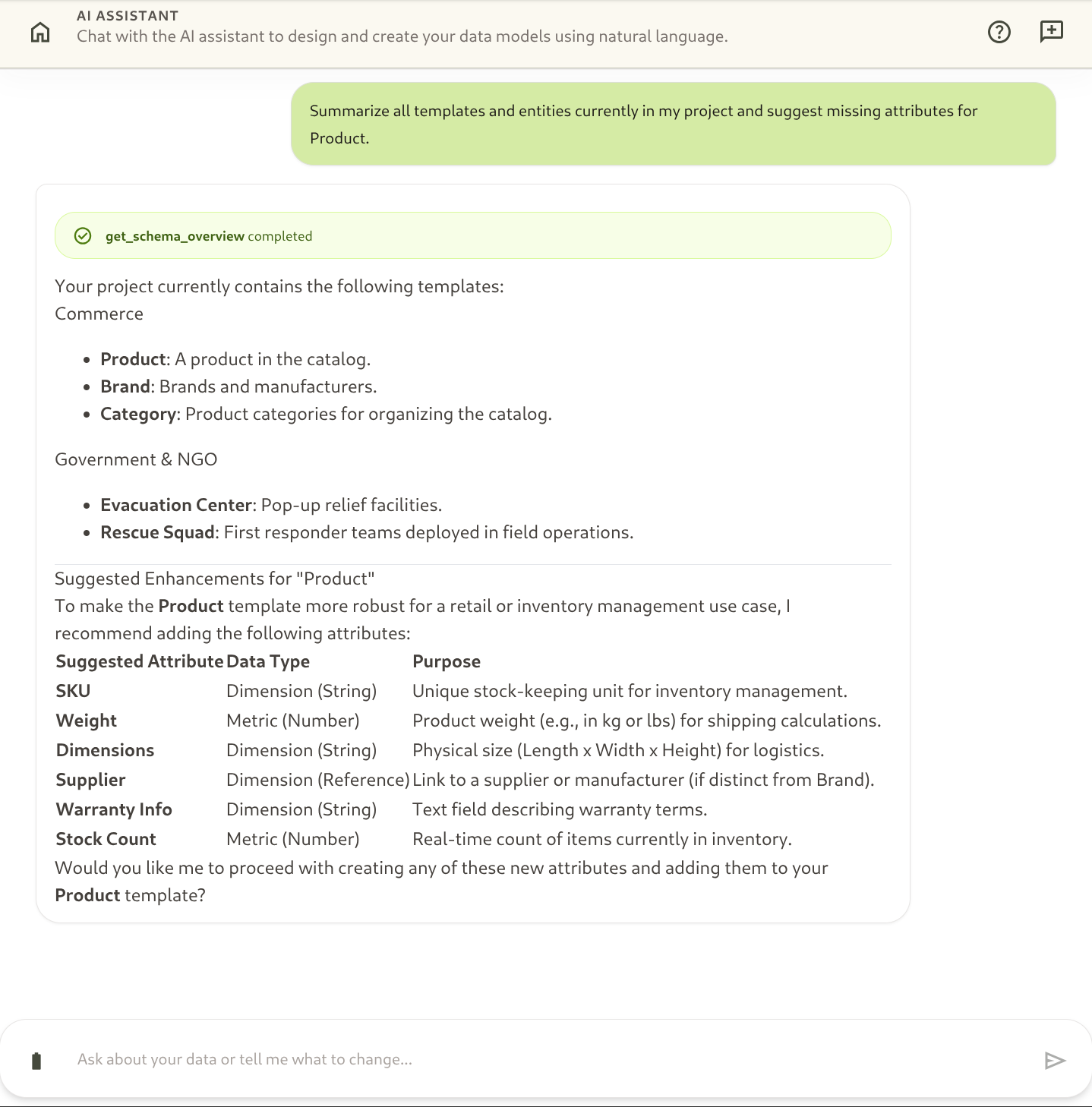
| Data Summarization | ”Summarize active high-priority support tickets.” | Scans entities and presents key operational recommendations. |
2. Real-Time Streaming & Agentic Loops
Section titled “2. Real-Time Streaming & Agentic Loops”When you send a prompt to the AI Assistant:
- Agentic Planning: The assistant breaks your request into a sequence of tool calls (e.g. searching existing templates → creating attributes → instantiating entities).
- Streaming Response: Reasoning steps and output text stream in real time into the chat interface.
- Context Sensitivity: The assistant respects your current project context, user role permissions, and active template schema.
3. Multimodal Agentic RAG & Contextual Vector Retrieval
Section titled “3. Multimodal Agentic RAG & Contextual Vector Retrieval”The AI Assistant is powered by Agentic Retrieval-Augmented Generation (RAG) directly integrated with the dynamic schema engine:
- Contextual Understanding: When you ask complex natural language questions (e.g. “Find servers showing signs of overheating or thermal instability”), the assistant translates your prompt into semantic embeddings to retrieve matching entity records, even if records use different phrasing (such as “Fan RPM degraded; temperature spike”).
- Hybrid Retrieval: The assistant dynamically combines deterministic filters (exact statuses, numerical thresholds, date boundaries) with semantic vector proximity to ground its reasoning in verified live data.
- Zero-Bypass RBAC Protection: Every semantic retrieval operation enforces workspace role-based permissions and row-level access rules before returning context to the model.
User: "Which servers experienced thermal issues during the last deployment?" │ ├── 1. Generates Semantic Query Embedding ├── 2. Executes Vector Proximity Search on Entities ├── 3. Enforces Workspace RBAC & Row Security Filters └── 4. Streams Grounded Analysis & Actionable Recommendations4. Best Practices for Effective Prompts
Section titled “4. Best Practices for Effective Prompts”- Be Specific: Specify template names, attribute titles, and numeric values when asking for record creation.
- Iterative Refinement: Ask the assistant to refine a schema (e.g. “Now add an ‘Environment’ list attribute to that server template”).
- Verification: Inspect generated entities and templates in the standard UI views after scaffolding.