
Roles and Permissions (RBAC & ABAC)
Omnismith features a multi-tiered security system combining Role-Based Access Control (RBAC) and Attribute-Based Access Control (ABAC) across three role configuration tabs:
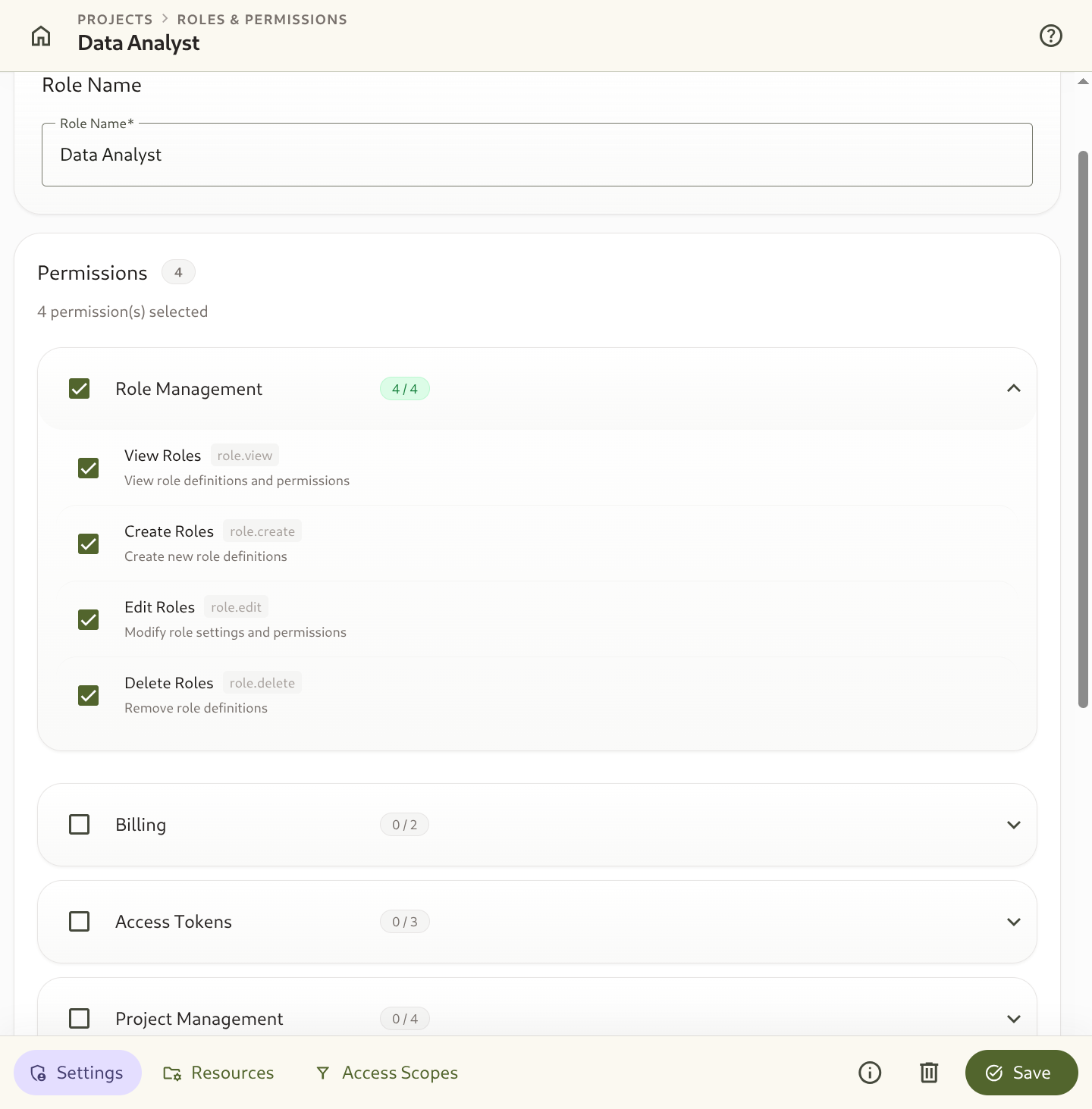
- Basic Settings Tab (RBAC): Controls module permissions and administrative actions.
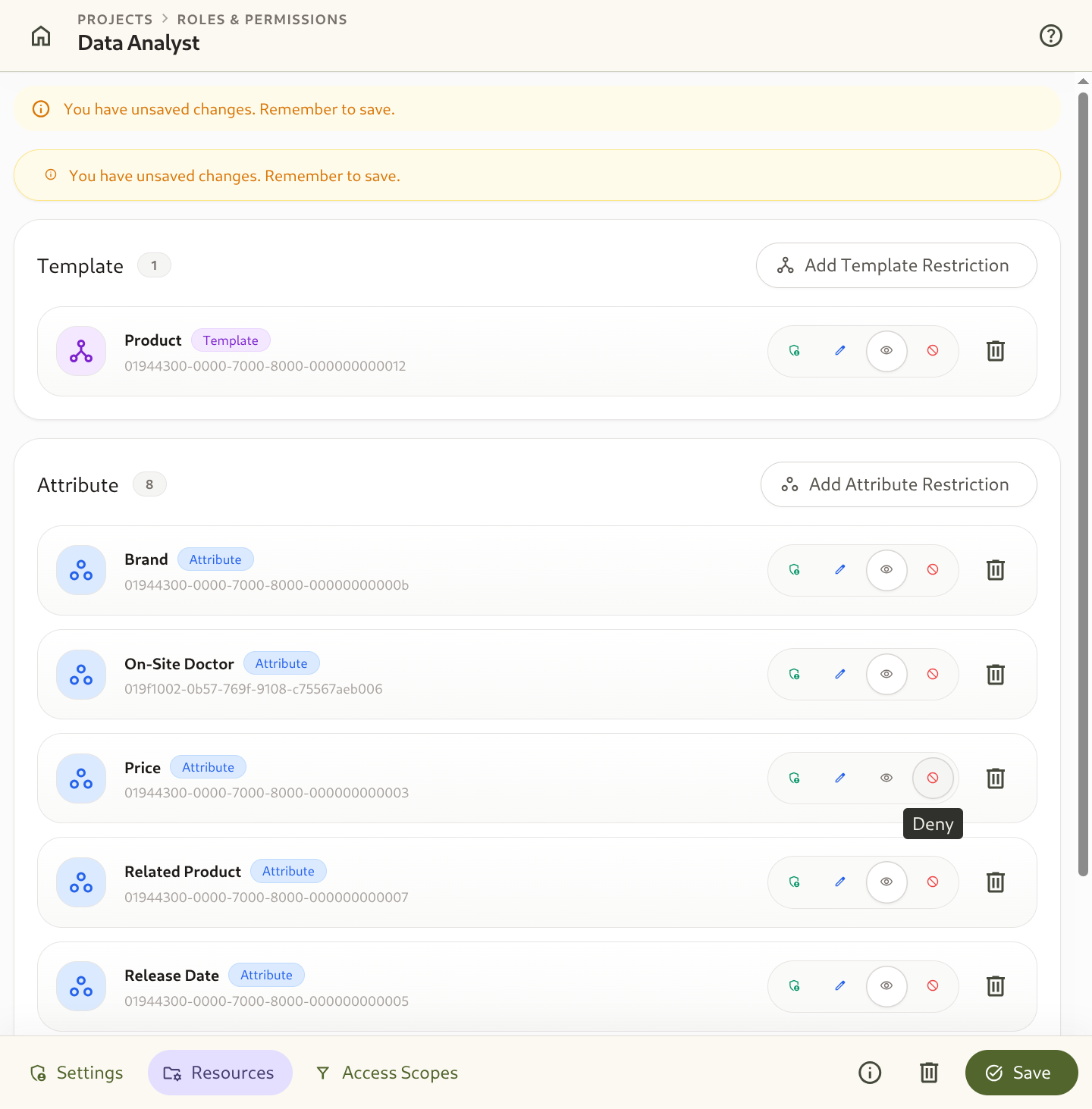
- Resources Tab (RBAC): Sets template and attribute access levels (
Full,Edit,View Only,Deny). - Scopes Tab (ABAC / Row-Level Security): Restricts entity visibility conditionally based on attribute values.
1. Module & Action Permissions (Basic Tab)
Section titled “1. Module & Action Permissions (Basic Tab)”In the Basic settings tab of a role, you enable or disable permissions across core feature areas:
- Role Management: Create, edit, or delete project roles.
- Project Management: Modify project settings and manage member invites.
- Data Modeling: Create and modify Templates and Attributes.
- Entity Management: Create, edit, export, or delete entity records.
- Dashboards & Automations: Build dashboards and configure notification rules.
- Access Tokens & Billing: Manage API keys and subscription plans.
Inbound Endpoint Permissions
Section titled “Inbound Endpoint Permissions”Inbound Endpoints have their own permission group:
| Permission | Allows |
|---|---|
View Inbound Endpoints (inbound_endpoint.view) | See a template’s endpoints and their delivery logs, and preview a mapping on a sample payload. |
Create Inbound Endpoints (inbound_endpoint.create) | Create endpoints that let other systems write records into a template. |
Update Inbound Endpoints (inbound_endpoint.update) | Change, enable and disable endpoints, and add or remove their secrets. |
Delete Inbound Endpoints (inbound_endpoint.delete) | Delete endpoints. |
Replay Inbound Deliveries (inbound_endpoint.replay) | Re-run stored deliveries through the current mapping, writing records as the endpoint. |
An endpoint is a standing permission for an outside system to create and edit a template’s records. So creating or updating an endpoint, and adding a secret, also require the user’s own permission to create and edit records of that template — a role that cannot write records cannot grant that ability to a sender. Records an endpoint writes are attributed to the endpoint in history and the audit log.
2. Resource-Level Restrictions (Resources Tab)
Section titled “2. Resource-Level Restrictions (Resources Tab)”In the Resources tab, you can override default permissions for specific data structures:
| Restriction Target | Access Level Options | Security Effect |
|---|---|---|
| Template Restriction | Full, Edit, View Only, Deny | Controls access to all entities instantiated under that specific template. |
| Attribute Restriction | Full, Edit, View Only, Deny | Hides or restricts editing of specific attributes across entity forms and API responses. |
Access Levels Explained:
Section titled “Access Levels Explained:”- Deny: The template or attribute is completely hidden and inaccessible to users with this role.
- View Only: Users can read and filter entity data, but cannot create or edit records.
- Edit: Users can create and edit entity records, but cannot delete schemas or templates.
- Full: Unrestricted administrative access for that specific resource.
3. Conditional Entity Scopes (Scopes Tab - Row-Level Security)
Section titled “3. Conditional Entity Scopes (Scopes Tab - Row-Level Security)”The Scopes tab provides Attribute-Based Access Control (ABAC) to enforce row-level security.
You can define conditional scope rules per template so users assigned to this role can only view or edit entities that match specific criteria (e.g. Only entities where Department = Sales or Status = Active).
Scope Configuration:
Section titled “Scope Configuration:”- Select a Target Template.
- Add Scope Conditions using attribute operators (
Equals,Not Equals,In,Contains,Is Empty). - Combine multiple conditions to enforce strict row isolation.